Paper Cut Art Style Concept Art
Create Paper Cut Art Style concept art pieces with AI — describe anything and get a widescreen concept art in seconds.
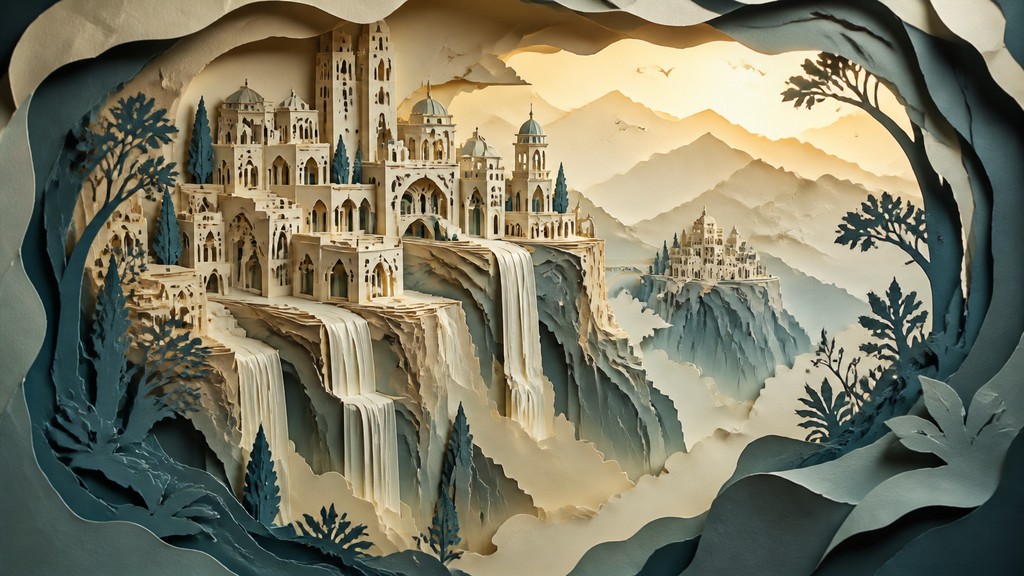
Rendered in Paper Cut at 1536×864 — learn about this style
Why Paper Cut Art Style Works for Concept art pieces
Layered cut-paper artwork with stacked silhouettes, soft shadows, crisp edges, and a handcrafted sense of depth.
- ✦Layered silhouette construction: Forms are built from multiple stacked shapes, each representing a different spatial plane. This layering creates immediate depth without relying on painterly modeling.
- ✦Distinct cast shadows: Soft, separated shadows fall between layers and around edges, visually lifting each piece from the one behind it. The shadows are essential because they make the paper structure legible.
- ✦Clean cut edges: The style depends on precise outlines and sharp contours, as if each form were cut with a knife or scissors. Even complex scenes usually preserve this clarity.
Those qualities translate directly into concept art pieces: the style stays readable at wide banner formats, and every generation is unique to your prompt. Want the full picture? Explore the Paper Cut Art Style guide →
How It Works
Describe it
Type what you want your concept art to show.
Generate
The AI renders it in Paper Cut Art Style at 1536×864 — regenerate and refine as much as you like.
Download & use
Save your concept art and use it anywhere.
Frequently Asked Questions
How do I make a Paper Cut Art Style concept art?
Type what you want into the generator (or upload a photo), and it renders your concept art in Paper Cut Art Style at 1536×864 — sized and framed for concept art pieces. You can iterate as many times as you like until it's right.
Is the Paper Cut Art Style concept art maker free?
You can try it free — every new account gets credits to generate. No design skills or software needed.
Can I use my own photo?
Yes — switch to Image to Image mode, upload a photo, and it will be transformed into Paper Cut Art Style while keeping your subject and composition.
What size is the concept art?
Concept art pieces generate at 1536×864 pixels (16:9 widescreen), and you can upscale or re-generate at other sizes in the generator.







