Macro Photography Style Concept Art
Create Macro Photography Style concept art pieces with AI — describe anything and get a widescreen concept art in seconds.
Rendered in Macro Photography at 1536×864 — learn about this style
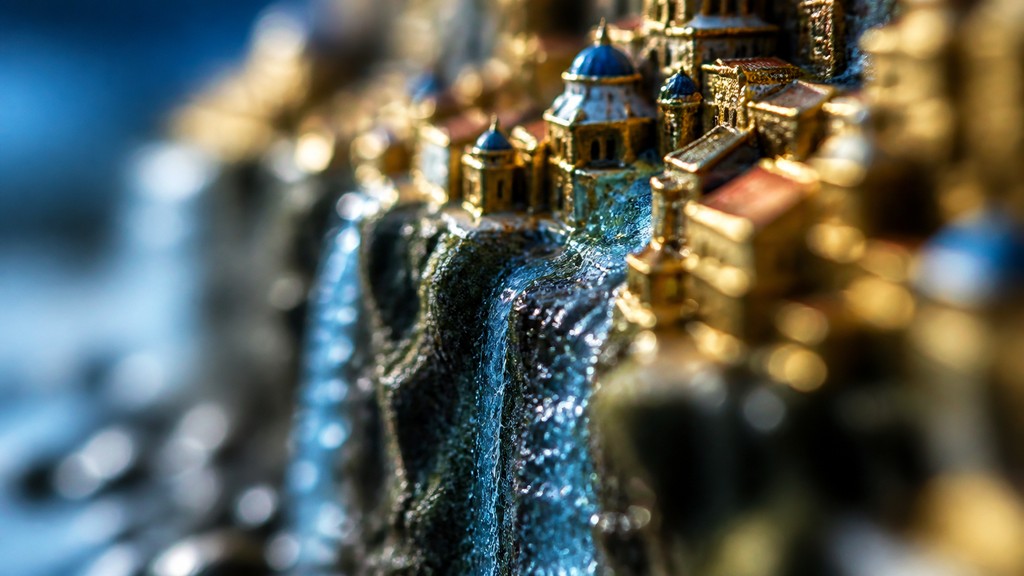
Why Macro Photography Style Works for Concept art pieces
Extreme close-up photography with shallow depth of field, vivid texture, and luminous bokeh that turns tiny subjects into dramatic scenes.
- ✦Extreme magnification: The subject is framed at very close range, often filling the image with a small fragment of a larger whole. This creates a sense of discovery and turns minute features into the central visual event.
- ✦Shallow depth of field: Only a thin slice of the subject stays in focus while the foreground or background falls away into blur. This isolates the subject and gives the image a distinctly cinematic, three-dimensional feel.
- ✦Textural emphasis: Macro images emphasize surfaces: pores, fibers, veins, scales, droplets, dust, and tiny imperfections. These details often read almost like landscapes because magnification makes them feel monumental.
Those qualities translate directly into concept art pieces: the style stays readable at wide banner formats, and every generation is unique to your prompt. Want the full picture? Explore the Macro Photography Style guide →
How It Works
Describe it
Type what you want your concept art to show.
Generate
The AI renders it in Macro Photography Style at 1536×864 — regenerate and refine as much as you like.
Download & use
Save your concept art and use it anywhere.
Frequently Asked Questions
How do I make a Macro Photography Style concept art?
Type what you want into the generator (or upload a photo), and it renders your concept art in Macro Photography Style at 1536×864 — sized and framed for concept art pieces. You can iterate as many times as you like until it's right.
Is the Macro Photography Style concept art maker free?
You can try it free — every new account gets credits to generate. No design skills or software needed.
Can I use my own photo?
Yes — switch to Image to Image mode, upload a photo, and it will be transformed into Macro Photography Style while keeping your subject and composition.
What size is the concept art?
Concept art pieces generate at 1536×864 pixels (16:9 widescreen), and you can upscale or re-generate at other sizes in the generator.







