Fluxus Art Style Concept Art
Create Fluxus Art Style concept art pieces with AI — describe anything and get a widescreen concept art in seconds.
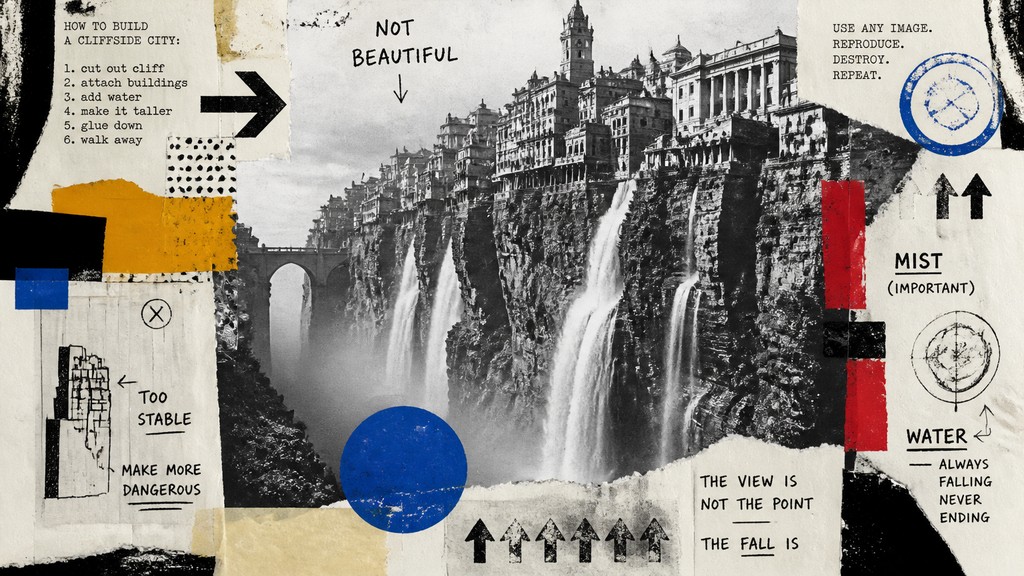
Rendered in Fluxus at 1536×864 — learn about this style
Why Fluxus Art Style Works for Concept art pieces
Fluxus art: anti-art collages, instructions, text, humor, audience participation, and raw Xerox-like process over polish.
- ✦Instructional text: Short commands, event scores, captions, and notes are central. The text often reads like a deadpan manual or private joke, making the work feel performative even when it is only printed.
- ✦Everyday materials and found images: Fluxus works frequently reuse photographs, newspaper clippings, diagrams, packaging, and ordinary objects. This gives the style a low-tech, familiar texture that rejects the hierarchy of fine-art materials.
- ✦Rough collage and assemblage: Elements are layered visibly rather than blended seamlessly. Torn edges, taped seams, mismatched scale, and abrupt insertions reinforce the sense of a work assembled through action rather than polished design.
Those qualities translate directly into concept art pieces: the style stays readable at wide banner formats, and every generation is unique to your prompt. Want the full picture? Explore the Fluxus Art Style guide →
How It Works
Describe it
Type what you want your concept art to show.
Generate
The AI renders it in Fluxus Art Style at 1536×864 — regenerate and refine as much as you like.
Download & use
Save your concept art and use it anywhere.
Frequently Asked Questions
How do I make a Fluxus Art Style concept art?
Type what you want into the generator (or upload a photo), and it renders your concept art in Fluxus Art Style at 1536×864 — sized and framed for concept art pieces. You can iterate as many times as you like until it's right.
Is the Fluxus Art Style concept art maker free?
You can try it free — every new account gets credits to generate. No design skills or software needed.
Can I use my own photo?
Yes — switch to Image to Image mode, upload a photo, and it will be transformed into Fluxus Art Style while keeping your subject and composition.
What size is the concept art?
Concept art pieces generate at 1536×864 pixels (16:9 widescreen), and you can upscale or re-generate at other sizes in the generator.







