Charcoal Portrait Art Style Concept Art
Create Charcoal Portrait Art Style concept art pieces with AI — describe anything and get a widescreen concept art in seconds.
Rendered in Charcoal Portrait at 1536×864 — learn about this style
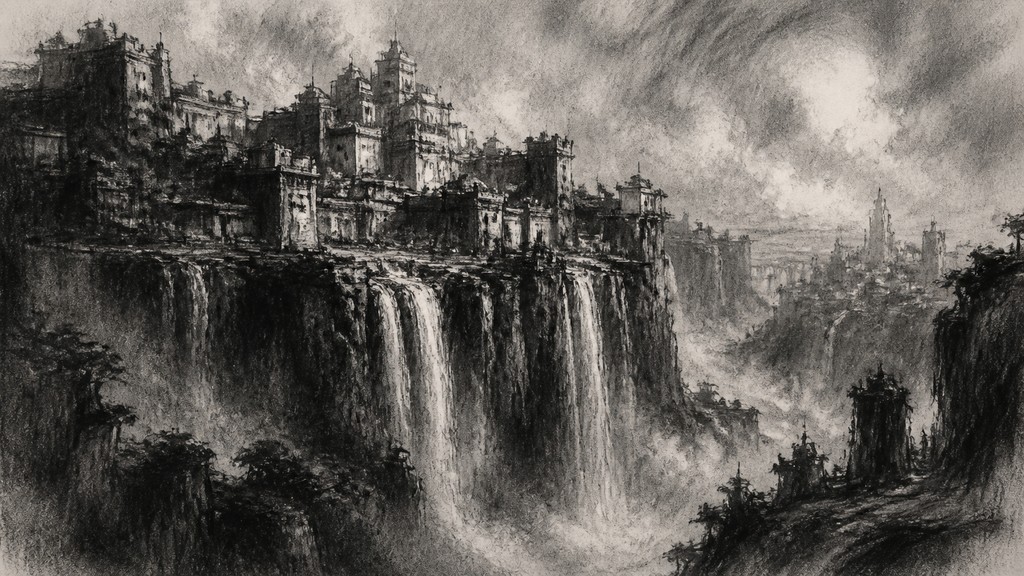
Why Charcoal Portrait Art Style Works for Concept art pieces
Dramatic monochrome portrait style using charcoal blacks, soft greys, and expressive mark-making to model emotion, form, and light.
- ✦Monochrome tonal range: The style relies on blacks, grays, and the color of the paper rather than chromatic color. Depth is created through carefully layered value shifts, from deep shadow masses to faint midtone veils and bright highlights.
- ✦Expressive mark-making: Charcoal can be gestural and immediate, so the surface often shows visible strokes, rubbed passages, and abrupt changes in line weight. These marks give the portrait energy and make the drawing feel constructed in front of the viewer.
- ✦Chiaroscuro lighting: Strong light-and-shadow contrast is central to the style. Faces are often lit dramatically from one side or from above, allowing the structure of the features to emerge through sculpted shadows.
Those qualities translate directly into concept art pieces: the style stays readable at wide banner formats, and every generation is unique to your prompt. Want the full picture? Explore the Charcoal Portrait Art Style guide →
How It Works
Describe it
Type what you want your concept art to show.
Generate
The AI renders it in Charcoal Portrait Art Style at 1536×864 — regenerate and refine as much as you like.
Download & use
Save your concept art and use it anywhere.
Frequently Asked Questions
How do I make a Charcoal Portrait Art Style concept art?
Type what you want into the generator (or upload a photo), and it renders your concept art in Charcoal Portrait Art Style at 1536×864 — sized and framed for concept art pieces. You can iterate as many times as you like until it's right.
Is the Charcoal Portrait Art Style concept art maker free?
You can try it free — every new account gets credits to generate. No design skills or software needed.
Can I use my own photo?
Yes — switch to Image to Image mode, upload a photo, and it will be transformed into Charcoal Portrait Art Style while keeping your subject and composition.
What size is the concept art?
Concept art pieces generate at 1536×864 pixels (16:9 widescreen), and you can upscale or re-generate at other sizes in the generator.







