Vaporwave Art Style Concept Art
Create Vaporwave Art Style concept art pieces with AI — describe anything and get a widescreen concept art in seconds.
Rendered in Vaporwave at 1536×864 — learn about this style
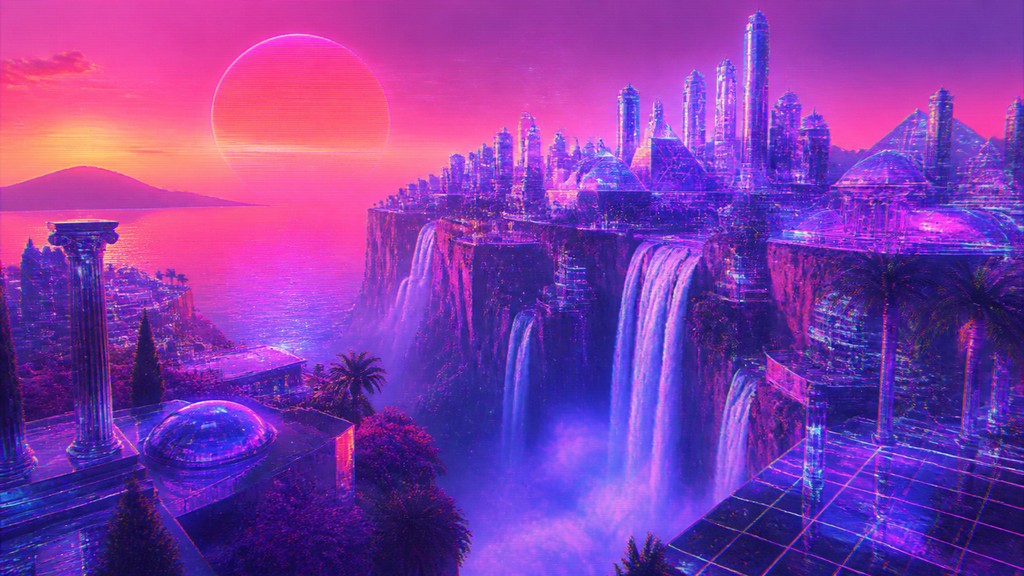
Why Vaporwave Art Style Works for Concept art pieces
Vaporwave art: neon pink and purple nostalgia, retro computers, glitch effects, chrome, and surreal digital sunsets.
- ✦Neon gradient color palette: The style typically uses saturated pinks, purples, magentas, and cyans, often blended into dusk-like gradients. These colors create a dreamy, synthetic atmosphere that reads as nostalgic and futuristic at the same time.
- ✦Retro-computer and early-3D imagery: Low-poly models, primitive 3D render shading, and awkward perspective are common references. This look recalls late-1980s and 1990s computer graphics, when digital imagery still felt new and slightly uncanny.
- ✦Glitch and analog-video artifacts: Scan lines, VHS noise, chromatic aberration, compression blocks, and digital distortion are used to make the image feel mediated. These artifacts suggest obsolete screens, corrupted data, and the instability of memory.
Those qualities translate directly into concept art pieces: the style stays readable at wide banner formats, and every generation is unique to your prompt. Want the full picture? Explore the Vaporwave Art Style guide →
How It Works
Describe it
Type what you want your concept art to show.
Generate
The AI renders it in Vaporwave Art Style at 1536×864 — regenerate and refine as much as you like.
Download & use
Save your concept art and use it anywhere.
Frequently Asked Questions
How do I make a Vaporwave Art Style concept art?
Type what you want into the generator (or upload a photo), and it renders your concept art in Vaporwave Art Style at 1536×864 — sized and framed for concept art pieces. You can iterate as many times as you like until it's right.
Is the Vaporwave Art Style concept art maker free?
You can try it free — every new account gets credits to generate. No design skills or software needed.
Can I use my own photo?
Yes — switch to Image to Image mode, upload a photo, and it will be transformed into Vaporwave Art Style while keeping your subject and composition.
What size is the concept art?
Concept art pieces generate at 1536×864 pixels (16:9 widescreen), and you can upscale or re-generate at other sizes in the generator.







