Mughal Jewelry Design Icon Maker
Create Mughal Jewelry Design icons with AI — describe anything and get a perfectly square icon in seconds.
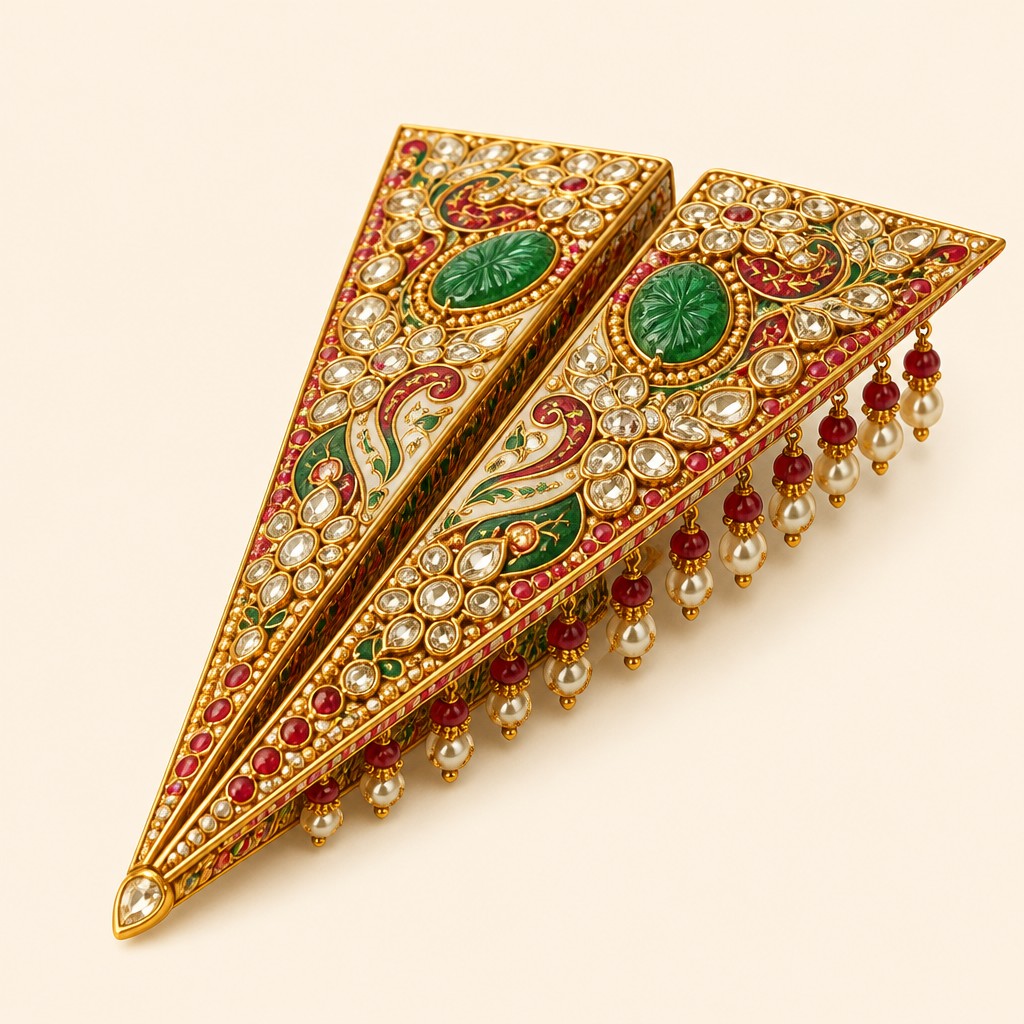
Rendered in Mughal Jewelry Design at 1024×1024 — learn about this style
Why Mughal Jewelry Design Works for Icons
Kundan, polki, emeralds and meenakari enamel in regal Indian court jewelry with floral symmetry and dense gem mosaics.
- ✦Kundan and polki construction: Jewelry is usually imagined with uncut or lightly cut diamonds set in gold foil, creating a soft, reflective brilliance rather than faceted sparkle. The settings often appear closely packed and highly crafted, with a continuous metallic glow.
- ✦Carved gemstones: Emeralds, rubies, and other stones are frequently shown as carved beads, cabochons, or leaf-shaped elements. Their role is structural as well as decorative, adding color blocks and botanical form to the composition.
- ✦Meenakari enamel: Enamel work in red, green, white, and sometimes blue appears on the reverse or visible surfaces, often with crisp, painterly floral detailing. It introduces saturated color contrasts against gold and gemstones.
Those qualities translate directly into icons: the style stays readable at avatar and thumbnail sizes, and every generation is unique to your prompt. Want the full picture? Explore the Mughal Jewelry Design guide →
How It Works
Describe it
Type what you want your icon to show.
Generate
The AI renders it in Mughal Jewelry Design at 1024×1024 — regenerate and refine as much as you like.
Download & use
Save your icon and use it anywhere.
Frequently Asked Questions
How do I make a Mughal Jewelry Design icon?
Type what you want into the generator (or upload a photo), and it renders your icon in Mughal Jewelry Design at 1024×1024 — sized and framed for icons. You can iterate as many times as you like until it's right.
Is the Mughal Jewelry Design icon maker free?
You can try it free — every new account gets credits to generate. No design skills or software needed.
Can I use my own photo?
Yes — switch to Image to Image mode, upload a photo, and it will be transformed into Mughal Jewelry Design while keeping your subject and composition.
What size is the icon?
Icons generate at 1024×1024 pixels (1:1), and you can upscale or re-generate at other sizes in the generator.











