Tudor Architecture Style Baby Announcement
Create Tudor Architecture Style baby announcements with AI — describe anything and get a vertical baby announcement in seconds.
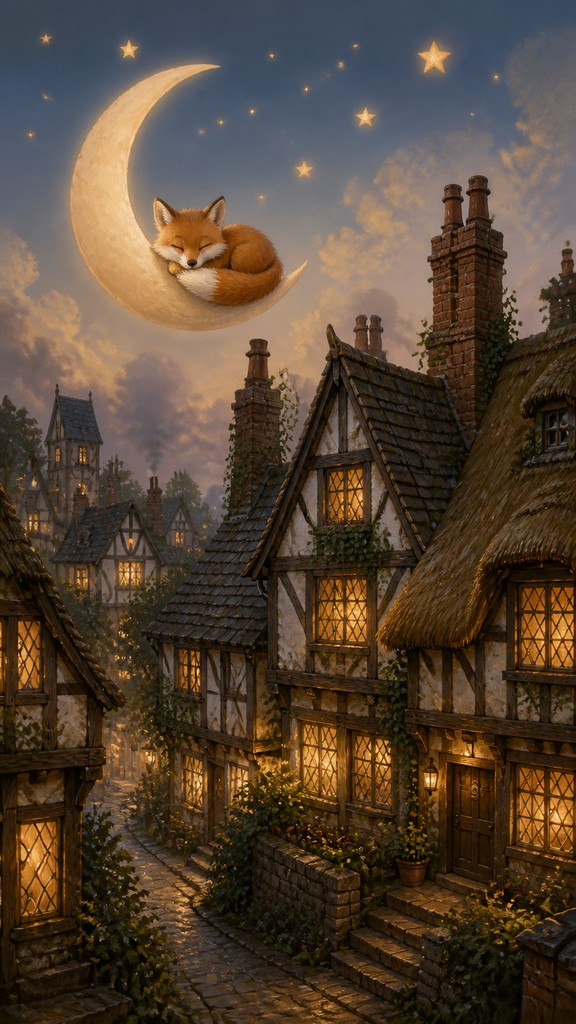
Rendered in Tudor Architecture at 864×1536 — learn about this style
Why Tudor Architecture Style Works for Baby announcements
Tudor architecture style: dark oak half-timbering, steep gables, leaded windows, brick chimneys, and cozy medieval-village character.
- ✦Half-timbered facades: Exposed dark oak or dark-stained timber forms a visible grid over light plaster infill. The strong contrast between beam and wall is one of the style’s most defining visual cues.
- ✦Steep gables and irregular roofs: Rooflines often rise sharply and break into multiple gables, dormers, and cross-wings. This creates a picturesque silhouette that feels compact, sheltering, and medieval.
- ✦Leaded casement windows: Small-paned windows with diamond or rectangular lead cames are common, often set deep into the wall. Their modest size and reflective glass contribute to the intimate, candlelit mood associated with the style.
Those qualities translate directly into baby announcements: the style stays readable at tall print and screen formats, and every generation is unique to your prompt. Want the full picture? Explore the Tudor Architecture Style guide →
How It Works
Describe it
Type what you want your baby announcement to show.
Generate
The AI renders it in Tudor Architecture Style at 864×1536 — regenerate and refine as much as you like.
Download & use
Save your baby announcement and use it anywhere.
Frequently Asked Questions
How do I make a Tudor Architecture Style baby announcement?
Type what you want into the generator (or upload a photo), and it renders your baby announcement in Tudor Architecture Style at 864×1536 — sized and framed for baby announcements. You can iterate as many times as you like until it's right.
Is the Tudor Architecture Style baby announcement maker free?
You can try it free — every new account gets credits to generate. No design skills or software needed.
Can I use my own photo?
Yes — switch to Image to Image mode, upload a photo, and it will be transformed into Tudor Architecture Style while keeping your subject and composition.
What size is the baby announcement?
Baby announcements generate at 864×1536 pixels (9:16 vertical), and you can upscale or re-generate at other sizes in the generator.